
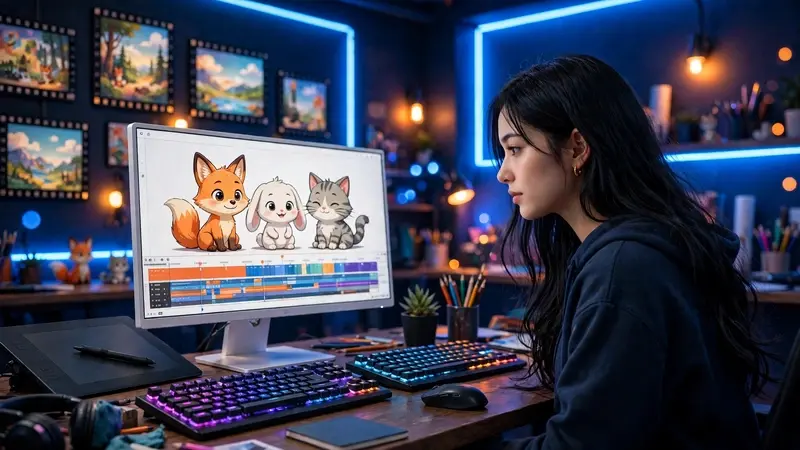
Animations have a way of capturing attention that static images sometimes cannot. A gentle transition, moving text, or a short visual story can turn an ordinary idea into something people want to watch and share. Whether you’re promoting a business, sharing a decorating project, or creating content for social media, animation offers a creative way to communicate with your audience.
The good news is that you don’t need professional design experience or expensive software to get started. With an accessible animation maker, you can transform photos, text, and illustrations into engaging visual content. The key is understanding what you want to communicate and choosing a style that supports your message rather than distracting from it.
Why Animation Makes Content More Engaging
Think about scrolling through a social media feed filled with photographs, advertisements, and written posts. A little movement can make one piece of content stand out. Animated elements naturally draw the eye, helping viewers notice important details and encouraging them to spend more time with a post.
Animation is also useful for explaining ideas. A furniture retailer, for example, could create a short video showing how different decorative elements work together in a living room. A DIY enthusiast might animate the steps of a weekend project, while a small business owner could use moving text to introduce a new service.
For home décor websites and lifestyle creators, animation offers plenty of possibilities. You can showcase seasonal decorating ideas, highlight a room transformation, introduce a collection of accessories, or create a visual guide to arranging furniture.
The best part is its flexibility. A simple animation can feel playful, elegant, informative, or professional, depending on the images, colors, movement, and typography you choose.
Creative Ways to Use Animation in Everyday Projects
You don’t need a complicated project to make animation worthwhile. Often, the most effective ideas are straightforward and relevant to the people you want to reach.
1. Showcase Interior Design Ideas
Interior design is a naturally visual subject, making it particularly suitable for animated content. Imagine presenting a neutral living room with plain walls, then gradually introducing textured cushions, warm lighting, artwork, and plants.
This approach helps viewers understand how individual details contribute to the overall atmosphere of a space. You could also create a short seasonal decorating video, moving from summer colors to autumn-inspired tones or showing a few different ways to style a coffee table.
Keep transitions smooth and avoid introducing too many elements at once. The goal is to make the design easier to appreciate, not to overwhelm the viewer.
2. Create More Interesting Social Media Posts
Social media content competes for attention, so a little movement can help communicate your message quickly. Animated headlines, subtle background effects, and changing images can make an ordinary announcement feel more polished.
For example, a home décor blogger could create a short post featuring three affordable ways to refresh a bedroom. Each tip could appear alongside a relevant photograph, with a brief transition between sections.
Make the opening immediately relevant to your audience. A clear headline such as “Three Easy Ways to Refresh Your Living Room” tells viewers what they will gain from watching.
3. Explain DIY Projects Step by Step
DIY projects often involve processes that are easier to understand when demonstrated visually. Animation can help break those processes into manageable steps, especially when you’re working with a short format.
Consider a tutorial about creating a decorative wall display. You could introduce the materials, show a suggested arrangement, and finish with an illustration of the completed design.
Although animation cannot replace detailed instructions for every practical task, it can provide a helpful overview before readers begin. Pairing animated content with written guidance also makes your tutorials more accessible to people who prefer different learning styles.
4. Promote a Small Business or Creative Service
Businesses can use animation to introduce products, communicate benefits, and maintain a consistent visual identity. A handmade candle shop might create a short product feature highlighting different fragrances, while an interior stylist could present a portfolio of completed rooms.
These videos don’t need elaborate effects. Clear product images, readable text, and a consistent color palette can make a stronger impression than excessive movement.
How to Create an Animation That Looks Professional
Creating an animation is easier when you approach it as a communication project rather than simply a design exercise. Before choosing colors or effects, take a moment to define the purpose of your content.
Start With One Clear Message
Ask yourself what viewers should understand or remember after watching. Are you introducing a product, sharing a decorating tip, or explaining a process?
Choose one central idea and build the animation around it. If you’re promoting a new collection of home accessories, for example, focus on the collection’s most appealing features instead of trying to include every product detail.
A focused message makes the finished video easier to follow and more memorable.
Choose Images That Support Your Story
Good visuals are essential, particularly when creating content about interiors, lifestyle, or design. Use clear photographs, illustrations, and graphics that fit the subject and complement one another.
Pay attention to lighting, image quality, and composition. A bright, uncluttered photograph may work well for a minimalist interior, while richer colors and layered textures might suit a more traditional decorating style.
If you’re using photographs of your own projects, select images that show meaningful details. A close-up of a fabric texture or decorative finish can sometimes communicate more than a wide shot.
Keep Movement Natural
Transitions should guide viewers through your content. Fading between images, gently moving text, or revealing elements one at a time can create a polished result without unnecessary complexity.
Avoid applying a different effect to every object. Too many animations competing for attention can make even a beautiful design feel disorganized.
Instead, choose a small number of complementary effects and use them consistently throughout the video.
Make Text Easy to Read
Animated text should remain on screen long enough for viewers to understand it. Use short phrases, clear fonts, and sufficient contrast between the text and background.
For example, a decorating tip might read, “Add Warmth With Natural Textures,” accompanied by a photograph of linen cushions, wooden furniture, and woven accessories.
Keep essential information away from the edges of the frame, especially when creating vertical videos for mobile platforms. This helps prevent text from being hidden by interface elements.
Choose Sound Carefully
Music and sound effects can establish the mood of an animation, but they should support the visuals rather than compete with them.
Soft instrumental music might suit a relaxing interior design video, while an upbeat track could work better for a quick DIY tutorial. If you include narration, keep the background audio low enough for every word to remain clear.
It’s also worth considering viewers who watch without sound. Include readable text or captions when important information is communicated through narration.
Common Mistakes Worth Avoiding
Even a simple project can lose its impact when a few basic details are overlooked.
- Too many effects: Excessive movement distracts from the main message. Use animation selectively.
- Overloaded slides: Trying to communicate several ideas at once makes content harder to follow. Give each scene a clear purpose.
- Inconsistent design: Mixing unrelated fonts, colors, and visual styles can make a project look unfinished.
- Poor pacing: Transitions that happen too quickly leave viewers confused, while unnecessarily long scenes can make them lose interest.
- Ignoring the final format: A design intended for a vertical social media post may not work well on a horizontal screen. Choose the dimensions before you begin.
Before publishing, watch the entire animation from beginning to end. Check spelling, image placement, audio levels, and the timing of each scene. A final review often reveals small improvements that make a noticeable difference.
Final Thoughts
Animation gives everyday ideas a fresh way to reach people. From showcasing thoughtful interior design to explaining a DIY project or introducing a new product, even modest movement can make visual content more engaging and easier to understand.
Start with a simple concept, focus on your audience, and give every visual element a clear purpose. With practice and attention to detail, you can create animations that look polished, communicate effectively, and bring your creative ideas to life. Click here see more details.